I want to write the post I couldn’t find when I started.
Not a marketing overview of how commissions work in theory. The actual mechanics. Step by step. With real numbers. Including the parts that confused me for the first three weeks and that nobody explained clearly in any onboarding material I could find.
Because the commission system is genuinely simple once you understand it. But the gap between “simple once you understand it” and “actually understanding it” cost me real confusion and at least one missed sale in my first week.
This post closes that gap. 
 The complete commission cycle - every step in order
Let’s walk through exactly what happens from the moment a customer lands on your store to the moment money hits your bank account. No skipping steps. No glossing over the parts that cause confusion.
Step 1 - Customer discovers your store 
Someone sees your store through the Sellvia Ads system - or through your own organic content, email, or social media if you’re driving traffic yourself. They click through and land on your store.
At this point nothing has cost you anything beyond your daily ad spend. No commission has been triggered. No order exists yet.
Step 2 - Customer browses and buys 
The customer finds a digital product they want - a guide, a course, a checklist, a tool - adds it to their cart and completes the purchase. They pay the retail price you’ve set for the product.
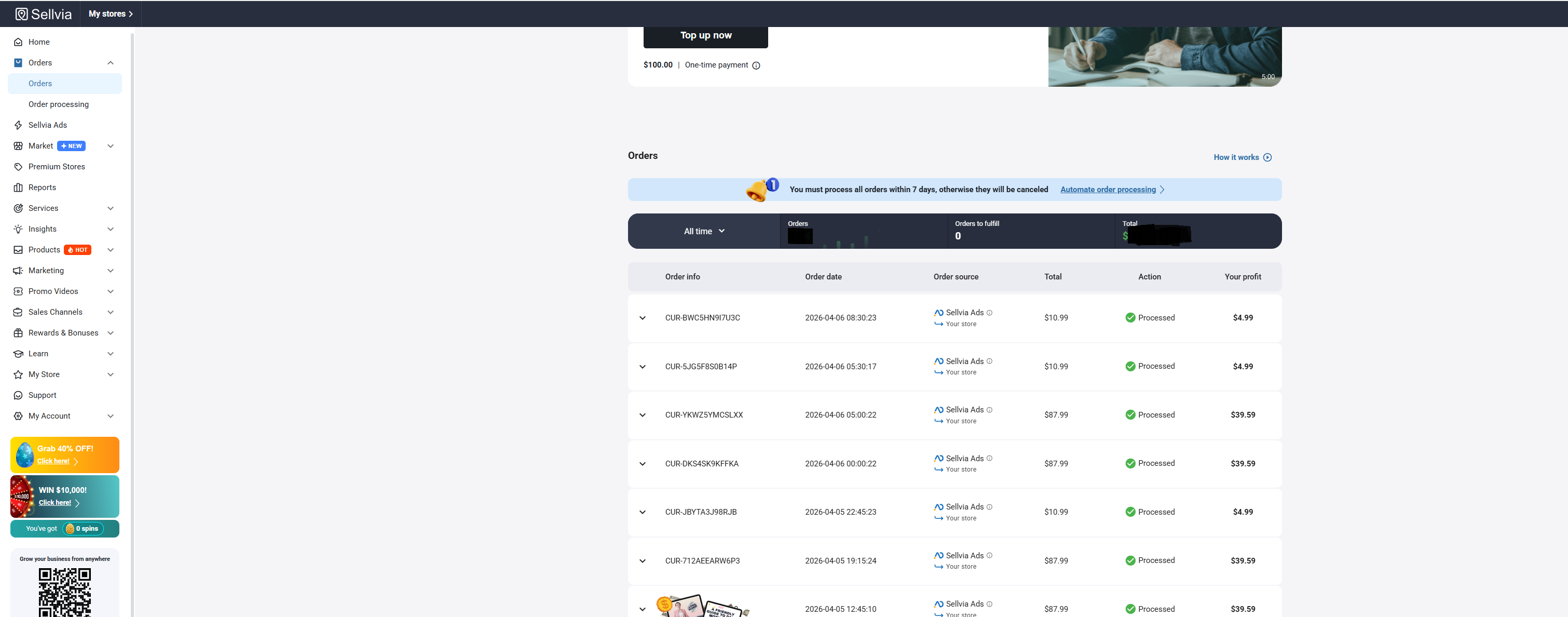
The moment the purchase completes an order appears in your Sellvia dashboard under the Orders section. You’ll see the order value, the product, the date, and the commission you’ll earn when you process it. That “earn $X in net profit” number in green is your commission - but it’s not yours yet.
Step 3 - You process the order 
This is the step most people don’t fully understand before they start.
Processing the order means you pay the product cost - the wholesale price of the digital product - from your Sellvia balance or linked payment method. This is not a fee Sellvia charges you on top of your subscription. This is the cost of goods that you pay before receiving your margin.
Think of it like this. You’re a store owner. A customer pays $25 for a product. You pay $8 to your supplier. You keep $17. The $8 is not a loss - it’s built into the transaction. Your profit is the difference.
In Sellvia’s model that same transaction looks like this. Customer pays $25. You process the order and pay $8 in product cost. Sellvia credits $17 to your Sellvia Payments balance. That $17 is your commission.
One click. The digital product delivers to the customer instantly and automatically. No manual fulfillment. No waiting. The customer receives what they paid for the moment you process.
Step 4 - Commission gets credited 
After processing your commission appears in your Sellvia Payments balance. Not immediately available to withdraw - but credited and visible.
Here’s what you see in your dashboard at this point. Total balance. Available balance. Amount in risk reserve. These are three different numbers and understanding the difference between them is important.
Total balance = everything that’s been credited including what’s still in reserve.
Available balance = what you can actually withdraw right now.
Risk reserve = commissions that have been credited but are still within the reserve period.
Step 5 - Risk reserve period 
Every commission goes through a risk reserve period after it’s credited. This period starts the moment you process the order.
Why does this exist? To protect against chargebacks and refunds. If a customer disputes their purchase or requests a refund after you’ve already received the commission - the reserve period is what allows Sellvia to reverse the commission without it creating a complex financial situation. It’s standard practice in any commission-based model.
During the reserve period your commission is visible in your total balance but not available to withdraw. Once the period clears it moves from reserve to available.
Step 6 - Withdrawal 
Once your available balance reaches $100 or more you can request a withdrawal. Sellvia pays via wire transfer (Wire) or ACH directly to your bank account.
Wire transfers typically take 3-5 business days to arrive. ACH typically takes 1-3 business days depending on your bank.
The $100 minimum is not a rolling threshold - it applies to your available balance specifically. So if you have $140 total but $60 is still in reserve and $80 is available - you cannot withdraw yet even though your total exceeds $100. You need $100 available, not $100 total.
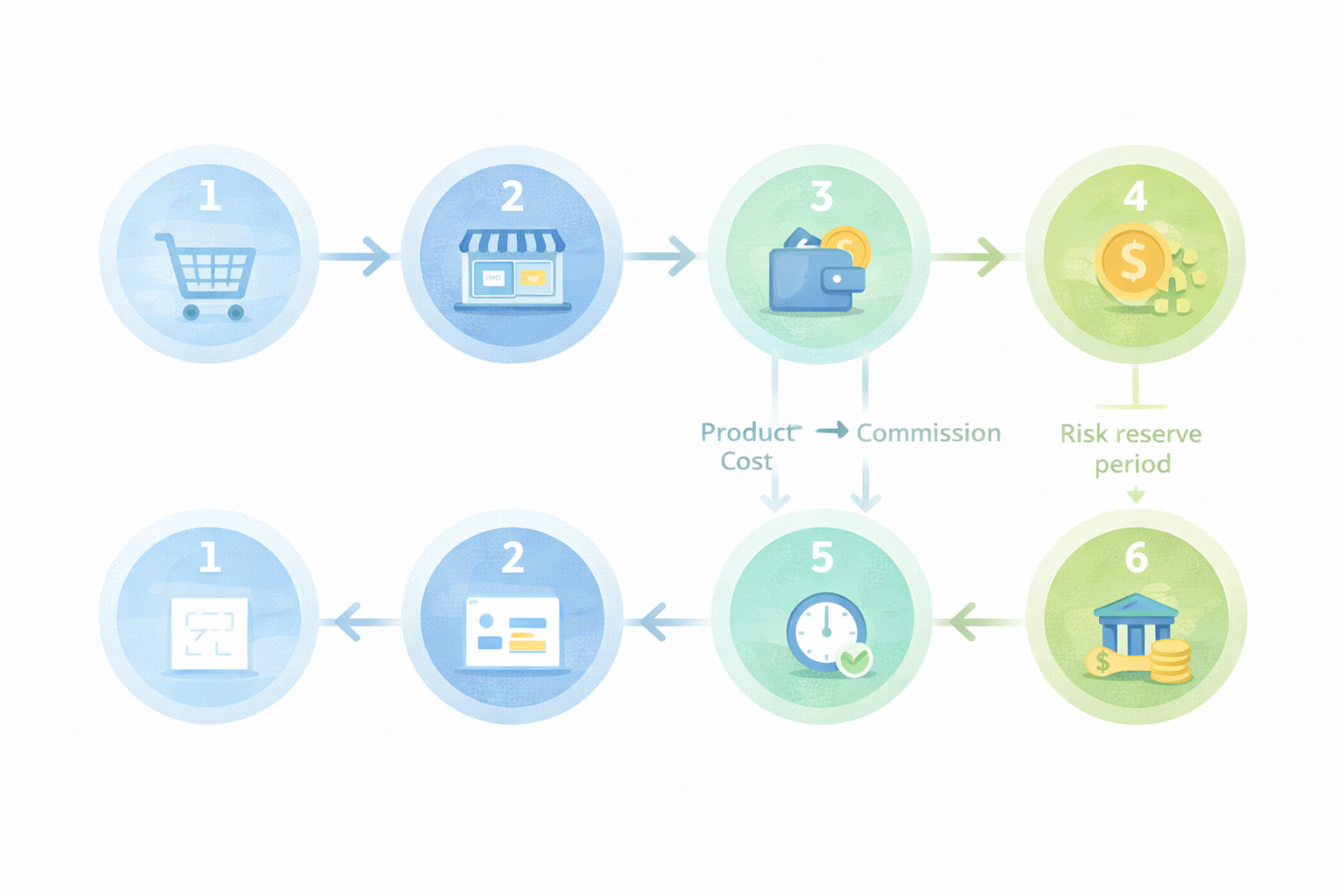
That’s the complete cycle. Customer buys → you process → commission credited → reserve clears → withdrawal available.
 The real numbers - what commission actually looks like
Let’s put concrete numbers on this because abstract percentages mean nothing without context.
Example transaction A - lower ticket product
Customer pays: $14.99
Your product cost to process: ~$6.00
Your commission credited: ~$8.99
Your commission margin: ~60%
Ad spend to acquire this customer (at optimized stage): $8-10
Your real profit on this transaction: approximately $0-1
This is why the early stage feels thin. Before your ad system is optimized your cost per acquisition eats most of your commission margin on lower ticket products. The math works much better once your cost per acquisition drops.
Example transaction B - mid ticket product
Customer pays: $29.99
Your product cost to process: ~$10.00
Your commission credited: ~$19.99
Your commission margin: ~67%
Ad spend to acquire this customer (at optimized stage): $10-12
Your real profit on this transaction: approximately $8-10
This is the sweet spot for most Sellvia stores at the optimized stage. Mid ticket products with a tuned ad system generate meaningful real profit per sale.
Example transaction C - higher ticket product
Customer pays: $87.99
Your product cost to process: ~$30.00
Your commission credited: ~$57.99
Your commission margin: ~66%
Ad spend to acquire this customer (at optimized stage): $15-20
Your real profit on this transaction: approximately $38-43
Higher ticket products have the best real profit per sale but typically require a warmer audience or more ad spend to convert. Worth testing once your lower ticket products are converting consistently.
 The questions people actually have - answered directly
After going through the mechanics let me address the specific questions that come up most often because they don’t always get answered clearly.
“What happens if I don’t have enough balance to process an order?”
If your Sellvia balance is empty when an order comes in the order won’t process automatically. You’ll see it in your dashboard as awaiting processing. You can add funds manually and then process it - but there’s a window before the order times out. Fund your balance before you launch. Not after. $50-100 sitting in your Sellvia balance ensures every order processes automatically without you needing to react in real time.
“Can I process orders manually with a card instead of using the balance?”
Yes. If your balance is insufficient you can process individual orders manually by paying with a linked card. This works fine at low volume but becomes impractical and stressful as your order frequency increases. The balance with auto-processing is the right setup for anyone running ads consistently.
“Does the subscription fee come out of my commission balance?”
Yes - if you have funds in your Sellvia Payments balance the $39/month subscription deducts from there automatically. If your Sellvia Payments balance is insufficient it charges your linked payment method. This is actually a sign of progress - when your commissions are covering your subscription fee the business is starting to fund itself.
“What if a customer asks for a refund?”
The commission on a refunded order gets reversed. If the commission was still in reserve the reversal happens automatically. If it had already cleared to available balance it comes out of your available balance. This is why maintaining a small buffer in your Sellvia Payments balance is worth doing - occasional refunds are a normal part of running any store and you don’t want one to create a negative balance situation.
“Why is my available balance lower than my total balance?”
Because some of your commissions are still in the risk reserve period. Total balance includes everything credited. Available balance is only what has cleared the reserve period. Both numbers are visible in your dashboard. The one that matters for withdrawal purposes is available balance.
“How long does the risk reserve period actually last?”
The exact duration depends on several factors including your account history and order volume. It’s not a fixed number of days that’s publicly stated. In practice most users see commissions move from reserve to available within 2-4 weeks of processing an order. Plan your cash flow expectations around this timeline rather than expecting commissions to be immediately withdrawable.
 How the commission math improves over time
One thing worth understanding about the commission system is that it gets better the longer you run it. Not because the commission percentages change - they don’t. But because three things improve as your business matures.
Your cost per acquisition drops. The Sellvia Ads algorithm gets smarter about finding buyers as it accumulates more purchase data. Your cost per sale in month three is typically lower than in month one even at the same daily budget. Lower CPA means more of your commission stays as real profit.
Repeat buyers appear. A customer who bought from you once and had a good experience might buy again - especially if you have an email list. Repeat buyers cost almost nothing to acquire. Their commission is nearly pure margin. The more repeat buyers you accumulate the better your overall economics look.
You learn which products perform. After a few months you know exactly which products in your catalog convert at which price points for your specific audience. You feature those products more prominently. Your conversion rate improves. Same traffic budget generates more commission.
The commission system is designed to compound over time. Month one economics are the worst you’ll ever see. Every month after that should look better if you’re making smart adjustments and letting the system optimize.
 The honest summary
The Sellvia commission system works like this:
Customer buys from your store → you process the order and pay product cost → commission (50-70% of sale price) gets credited to your Sellvia Payments balance → commission clears the risk reserve period → available balance reaches $100 → you withdraw via wire or ACH to your bank account.
The subscription fee ($39/month) is separate from and unrelated to your commission cycle. It’s a fixed operating cost that ideally gets covered by your commissions as your volume grows.
Your real profit per sale is your commission minus your advertising cost to acquire that customer. That number starts thin in month one and improves as your ad system optimizes and your repeat buyer base grows.
Nothing in this system is complicated. But every part of it matters and skipping the understanding of any one part creates confusion at exactly the moment you can least afford to be confused - when your first orders are coming in and your first commissions are being credited.
Now you know all of it. 
Drop your experience below
What part of the commission system confused you most when you started and how did you figure it out? 
Has anyone hit the point where their monthly commissions cover their subscription fee - how long did that take?
And for anyone just starting - which part of the mechanics above is still unclear?
Specific questions welcome. This is the thread where the details actually matter.
