This is one of those questions that feels uncomfortable to ask while things are going well - but becomes extremely urgent the moment something goes wrong.
What actually happens to your money when you close a Sellvia account? What about commissions that have been credited but haven’t cleared the risk reserve yet? What about your Sellvia Payments balance sitting at $87 when you decide to cancel - below the $100 withdrawal minimum? What happens to pending orders that haven’t been processed? And what does “closing” an account even mean in practice - is it instant, is there a grace period, can you reverse it?
I’ve seen these questions come up in fragments across different threads but never fully answered in one place. And because they involve real money at a potentially stressful moment, the cost of not knowing the answers in advance is higher than almost any other knowledge gap you could have about this platform.
So this post is the complete breakdown. Everything I know, everything I’ve been able to find out, and the questions worth asking Sellvia support directly before you ever get to the point where account closure is on the table. 
First - why people actually close their Sellvia accounts
Before getting into the mechanics it’s worth understanding the context because the reason you’re closing matters for what you should do before you close.
The most common reason: results weren’t what was expected. Someone signed up with optimistic assumptions, ran ads for three to six weeks, didn’t hit profitability fast enough, and decided to stop. This is by far the most common closure scenario and it’s almost always happening at the worst financial moment - when the person has spent money on ads and subscription but hasn’t yet accumulated enough commissions to withdraw.
Second most common: life circumstances changed. Job loss, family situation, time constraints, other priorities. Not a failure of the platform - just a change in what the person has capacity for. These closures tend to be more deliberate and give more time for a clean exit.
Less common but real: a specific negative experience. A support issue that wasn’t resolved, a billing dispute, a commission question that never got a satisfying answer. These closures tend to happen fast and emotionally, which is exactly when people are most likely to leave money on the table.
Planned exits: Someone who has genuinely built something, earned consistently, and has decided to move to a different platform or business model. These are the cleanest exits because the person is in control of the timing and can optimize their withdrawal before closing.
Understanding which category you’re in - or might be in - changes the financial decisions you should make before closing. Let’s get into those decisions.
What cancellation actually means on Sellvia
Cancelling your Sellvia subscription and closing your account are two related but slightly different things and it’s worth being clear about the distinction.
Cancelling your subscription stops the $39/month charge from recurring. Your store and account remain accessible until the end of your current billing period. After that period ends, your store goes offline and you lose access to the dashboard. Your Sellvia Payments balance - any commissions that have accumulated - does not disappear automatically when your subscription lapses.
Closing your account entirely is a more permanent action that removes your store and account data from the platform. This is a separate step from simply cancelling the subscription and typically requires contacting support or going through a specific account deletion process.
Why does this distinction matter? Because there’s a window between cancelling your subscription and your account actually going dark where you still have access to your dashboard, can still see your balance, and can still initiate a withdrawal if your available balance meets the $100 minimum. That window is your most important financial opportunity in the exit process.
The people who lose money during account closure almost always do it by treating cancellation as an immediate hard stop - cutting off their own access before they’ve withdrawn what they’re owed. It doesn’t have to go that way.
Your Sellvia Payments balance - what happens to it
This is the most important section for most people reading this post so let’s be very direct about it.
Your Sellvia Payments balance is money that has been credited to you from processed orders. It belongs to you. Closing your account does not make that money disappear - but the ability to access it does depend on your available balance meeting the withdrawal minimum and the risk reserve period having cleared.
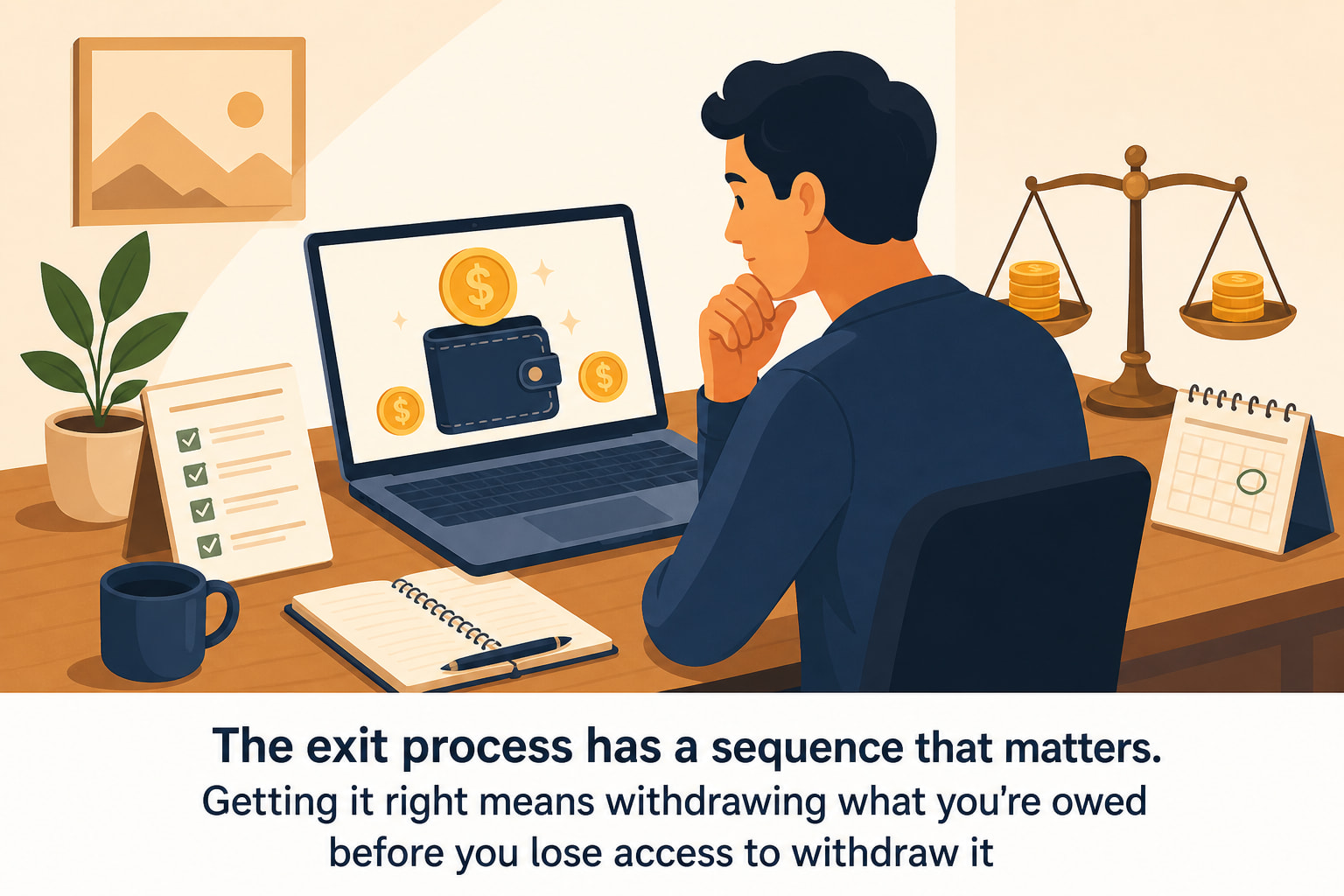
If your available balance is $100 or more when you decide to close: Withdraw it before you cancel anything. Log into your dashboard, go to My Account, initiate the withdrawal via Wire or ACH. Do this first. Then cancel your subscription. The withdrawal process takes a few business days to complete and you want to make sure it’s initiated while your account is still active.
If your available balance is below $100: This is the painful scenario. The $100 minimum withdrawal threshold means that if you have $60 or $80 in available commissions when you close, you may not be able to withdraw those funds through the standard process. What should you do?
Contact Sellvia support before closing your account and ask specifically about options for withdrawing a balance below the standard minimum at account closure. This is a real question worth asking directly because the answer may be different for an account that’s being closed versus an account that’s continuing to operate. Don’t assume the answer is “you lose it” without asking first.
If some of your balance is still in risk reserve: Commissions that haven’t cleared the reserve period yet are not available to withdraw regardless of the total amount. If you close your account before those commissions clear, you need to understand what happens to them. Again - ask support directly and get the answer in writing before you close.
The through-line here is the same in every scenario: communicate with Sellvia support before you take any action on your account. Do not cancel first and ask questions later. The sequence matters and getting it wrong costs you real money.
Pending orders at the time of closure
If you have orders that came in but haven’t been processed yet when you decide to close - these need to be dealt with before you cancel anything.
Remember that Sellvia sends you a notification when orders arrive and gives you a seven-day window to process them. If you close your account with unprocessed orders sitting in your queue, those orders don’t get fulfilled and you don’t earn the commissions on them. The customer who paid also doesn’t receive what they bought, which creates a customer service problem that extends beyond your relationship with the platform.
Before initiating any closure process: Go to your Orders section and check for anything with an awaiting processing status. Process everything that’s there. Yes, you’re paying product cost on orders you’re about to stop running a business from - but you’re also earning the commission on them and more importantly you’re fulfilling your obligation to customers who paid in good faith.
Processing those final orders also adds commissions to your Sellvia Payments balance, which may be the difference between being above or below the $100 withdrawal minimum. That’s a concrete financial reason to process everything before you close, not just an ethical one.
The risk reserve period and what it means for your exit timeline
Here’s the part of account closure that catches people most off guard because it’s the part with the least control.
Every commission you earn goes through a risk reserve period before it becomes available to withdraw. That period starts when you process the order - not when the customer buys, not when you cancel your subscription, but when you process. If you processed orders in the week before cancelling, those commissions are going to be in reserve when you close your account.
What does this mean practically? It means the cleanest possible account closure looks like this: stop running ads a couple of weeks before your intended closure date, process all outstanding orders, wait for the reserve period on those final orders to clear, withdraw everything above $100 from your available balance, then cancel your subscription.
That’s an intentional, sequenced exit that leaves no money on the table. It requires planning ahead by two to four weeks, which is why the “I’m rage-quitting right now” closure scenario is so financially costly - there’s no time to sequence anything correctly.
If you’re reading this post while things are going well and closure isn’t on your immediate horizon - that’s actually the perfect time to understand this. File it away. If the day ever comes where you decide to stop, you’ll know to give yourself four weeks of runway before actually cutting access. That four weeks is the difference between a clean exit and leaving commissions you earned sitting in an inaccessible account.
The subscription billing timing - avoid getting charged for a month you won’t use
This one is purely mechanical but worth knowing.
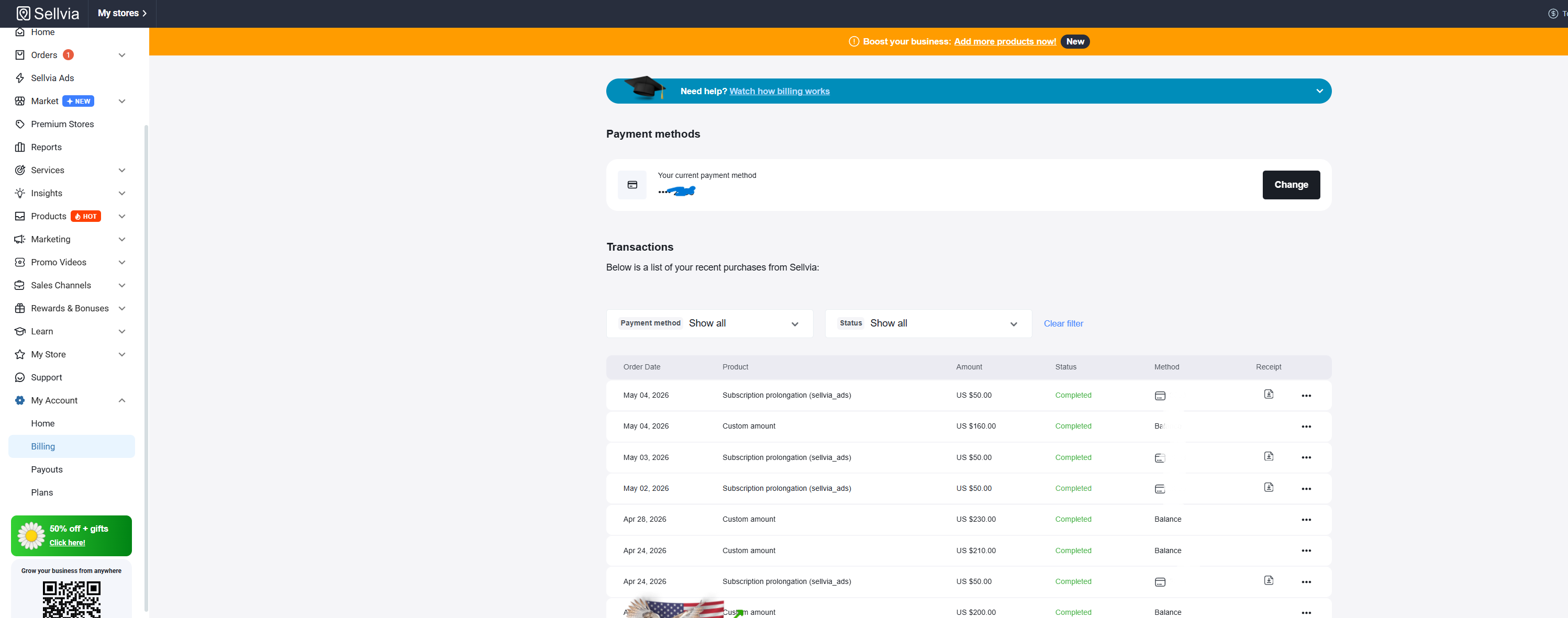
Sellvia’s $39/month subscription bills on the same date each month - the date you originally signed up. If you cancel two days before your next billing date, you avoid the next charge. If you cancel two days after, you’ve just paid for another full month of access.
Know your billing date. It’s visible in your My Account section. If you’re planning to close, time the cancellation to happen before the next billing date - not after. This is especially relevant if your commissions are covering the subscription automatically from your Sellvia Payments balance, because in that case the charge will come out of your balance rather than your linked card, reducing what you have available to withdraw.
Cancelling one to three days before your billing date gives you enough runway to confirm the cancellation has processed without risking the charge going through. Don’t cut it to the last hour - billing systems sometimes process early and you want a buffer.
What happens to your store data and customer information
Beyond the financial mechanics there are data questions worth understanding before you close.
Your store goes offline when your subscription ends. Customers who try to visit your store URL after that point will not find an active storefront. If you’ve been building an email list alongside your store - which this forum has talked about extensively as one of the highest-ROI activities you can do - that list is yours, not Sellvia’s. Export it before you close. Your subscribers are an asset you built and you should take it with you.
Your order history and transaction records are worth downloading before you lose access to the dashboard. These records matter for tax purposes - commissions are income and you’ll need documentation of what you earned in each tax year. Don’t close your account without downloading your complete order history and commission records first.
Product reviews or testimonials you’ve collected - whether inside the platform or externally - are yours to keep. If you built any social media presence around your store, that also stays with you. The things that belong to Sellvia are the store infrastructure, the product catalog, and the platform access. Everything you built on top of that - your audience, your email list, your content - belongs to you and travels with you.
Can you reopen a closed Sellvia account?
This comes up more than you’d expect. Someone closes their account during a frustrating stretch, things settle down a few months later, and they want to come back. What happens then?
Based on what I’ve seen discussed on this forum and in direct conversations with other store owners - reopening a closed account is generally possible by contacting Sellvia support, but it’s not guaranteed and the specifics depend on why the account was closed and how it was handled. An account that was cancelled cleanly with all balances withdrawn and no outstanding disputes is in a much better position for reinstatement than one that was closed with unresolved issues.
If there’s any chance you might want to come back - treat the closure process like a pause rather than a permanent exit. Cancel cleanly, withdraw what you’re owed, document everything, and stay on good terms with support. That approach keeps doors open.
If you’re absolutely certain you won’t return, the same advice applies from a practical standpoint - a clean closure is just better in every dimension than a messy one, regardless of whether you ever plan to use the platform again.
The scenario nobody plans for - account closure due to policy violation
Most account closures are voluntary. But some aren’t, and it’s worth understanding how involuntary closure works even if you’re confident it’ll never apply to you - because the financial implications are different from a voluntary exit.
If Sellvia closes an account due to a terms of service violation or policy issue, the timeline and process are outside your control. This is the scenario where having a clean, regularly updated Sellvia Payments balance matters most - because you can’t plan a four-week exit sequence if the closure is initiated by the platform rather than by you.
The practical implication: don’t let your available balance sit at $200 or $300 without withdrawing it. Withdraw regularly once you’re above the $100 minimum. Don’t treat your Sellvia Payments balance as a savings account. Treat it as a transit account - money passes through it on its way to your bank. The faster it moves through, the less exposure you have in any unexpected closure scenario.
This isn’t a reason to be paranoid about the platform. It’s just sound financial practice for any commission-based model - take your earnings when you can take them rather than letting them accumulate on someone else’s platform indefinitely.
The complete pre-closure checklist
Let me put everything above into a practical sequence you can follow when the time comes - whether that time is tomorrow or two years from now.
Step 1 - Stop running ads. Pause your Sellvia Ads campaign. No point spending more money on a store you’re about to close.
Step 2 - Process all outstanding orders. Go to your Orders section. Process everything with an awaiting processing status. This earns you the final commissions and fulfills your obligation to customers who paid.
Step 3 - Wait for risk reserve to clear. Give the reserve period time to run on your most recent orders. Two to four weeks depending on your order volume and timing.
Step 4 - Export your data. Download your complete order history and commission records. Export your email list. Save any content or testimonials you’ve created. Take everything that belongs to you before you lose dashboard access.
Step 5 - Withdraw your available balance. If you’re above $100 available - initiate the withdrawal via Wire or ACH before cancelling your subscription. If you’re below $100 - contact support and ask about options for your specific situation before cancelling.
Step 6 - Note your billing date. Time your cancellation to land before the next charge goes through. Give yourself a two to three day buffer.
Step 7 - Cancel your subscription. Do this after steps one through six are complete. Not before.
Step 8 - Confirm cancellation. Check that you receive a confirmation email or notification that the cancellation has been processed. Screenshot it. Keep the record.
That’s the complete sequence. Eight steps, and the most important one - withdrawing before you cancel - is the one most people either skip or get in the wrong order.
The honest bottom line
Account closure on Sellvia doesn’t have to cost you money. The platform isn’t designed to trap your earnings - the withdrawal mechanism works, the process is real, and commissions you’ve earned are yours to take.
What costs people money is doing things in the wrong order. Cancelling before withdrawing. Closing before the reserve period clears. Walking away from a balance below $100 without asking support about options. Leaving orders unprocessed in the queue. Each of those mistakes is avoidable with a little advance planning.
The best time to understand the closure process is before you ever need it. The second best time is right now, even if you have no intention of closing anytime soon. Knowing what a clean exit looks like changes how you manage your balance day to day - and that change is worth making regardless of how long you plan to stay on the platform.
Withdraw regularly. Keep your order queue clean. Know your billing date. And if the day ever comes where you decide to move on - give yourself four weeks and follow the eight steps above.
You built those commissions. Make sure you take them with you. 

 The “export your email list before you close” point is the one I want to shout from a rooftop. Your list is yours. Sellvia doesn’t own your subscribers. I’ve seen people close their stores and just… abandon their lists because they didn’t realize they could take them. That list represents real relationships with real people who opted in. Take it with you everywhere you go regardless of what platform you’re on.