You have visitors. You have zero sales. Here’s what’s actually happening.
Okay so here’s the situation I found myself in about three months after launching.
My store was getting traffic. Not huge numbers, but real numbers - 40, 50, sometimes 80 visitors a day from a mix of Pinterest and some early ad testing. I’d sit there refreshing the dashboard watching people land on the store and then just… leave. No add to cart. No sale. Nothing.
I’d read enough forum posts to know this was common. What I hadn’t found was anyone actually explaining why it happens in plain language, without the usual “optimize your funnel” advice that means nothing to someone who’s still figuring out what a funnel even is.
So this is that explanation. Written by someone who had the exact problem and spent way too long figuring out what was wrong.
Start here: traffic and conversion are two completely separate problems
This sounds obvious when you say it out loud but it took me an embarrassingly long time to actually internalize it.
Traffic getting people to your store is one job. Your store converting those people into buyers is a completely different job. You can be excellent at one and terrible at the other, and the result looks identical from the outside: no sales.
Most people, when they see no sales, assume the traffic is the problem. So they change their ad targeting, try a different platform, post more on social media. And nothing changes - because the traffic was never the problem.
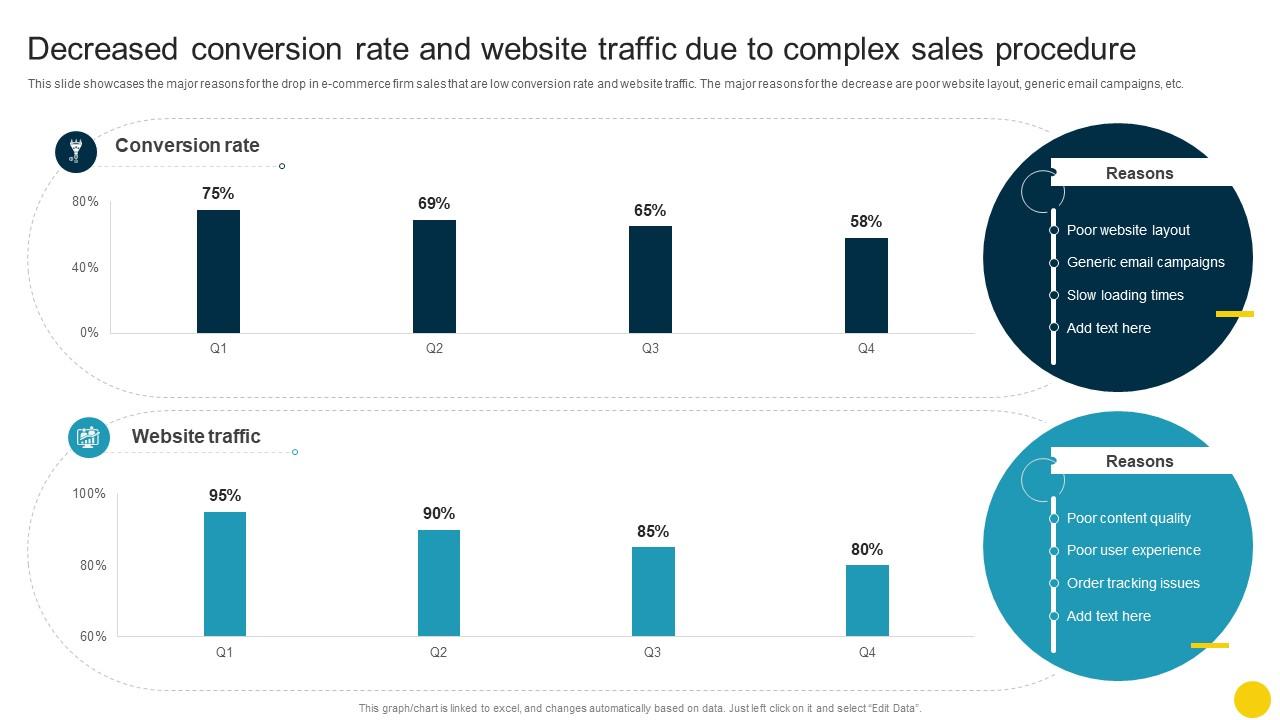
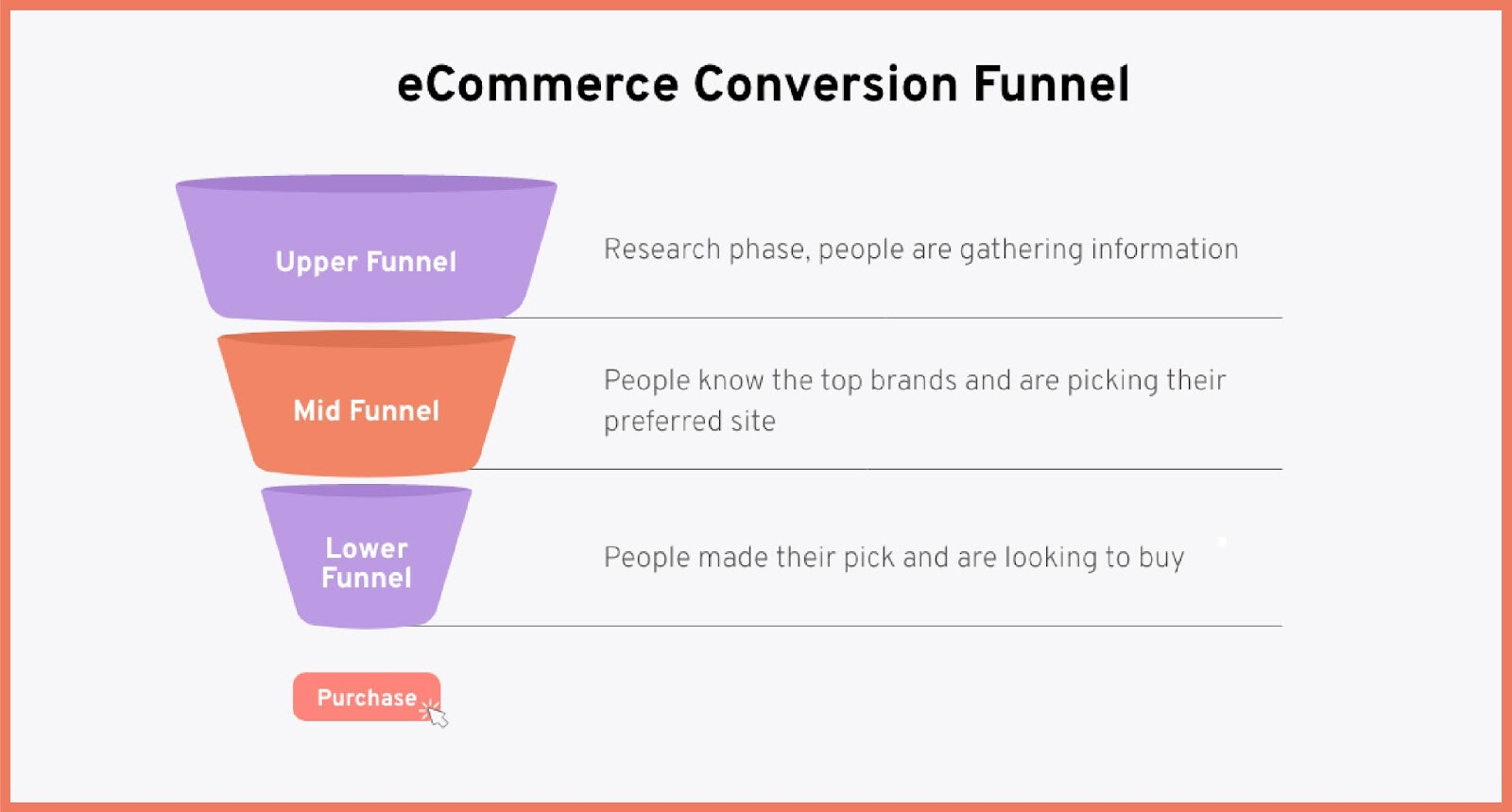
The first thing to do when you have traffic and no sales is stop touching your traffic sources and start looking at what’s happening on the store itself. Specifically: where are people going, how long are they staying, and at what point are they leaving?
If you don’t have any analytics set up to answer those questions, that’s the actual first step.
The most common reasons traffic doesn’t convert on SellviaThe Traffic Is the
- Wrong Traffic
I know I just said traffic usually isn’t the problem, and that’s true most of the time. But there’s a specific version of wrong traffic that’s worth addressing first.
If you’re driving people to your store who have zero intent to buy - casual browsers, people who clicked out of curiosity rather than interest, audiences that are too broad - then your conversion rate will be near zero regardless of how good your store is. A 1% conversion rate on genuinely interested visitors is normal. A 0.1% conversion rate might just mean you’re spending on the wrong audience.
The signal to look for: if people are landing on your store and leaving within 5-10 seconds consistently, they probably didn’t expect what they found. That’s a traffic-audience mismatch, not a store problem.
If people are spending time on the page - reading, scrolling, clicking around - but still not buying, that’s a store problem. Very different diagnosis.
- The Store Doesn’t Feel Trustworthy Enough
This is the big one and it shows up constantly in Sellvia stores specifically.
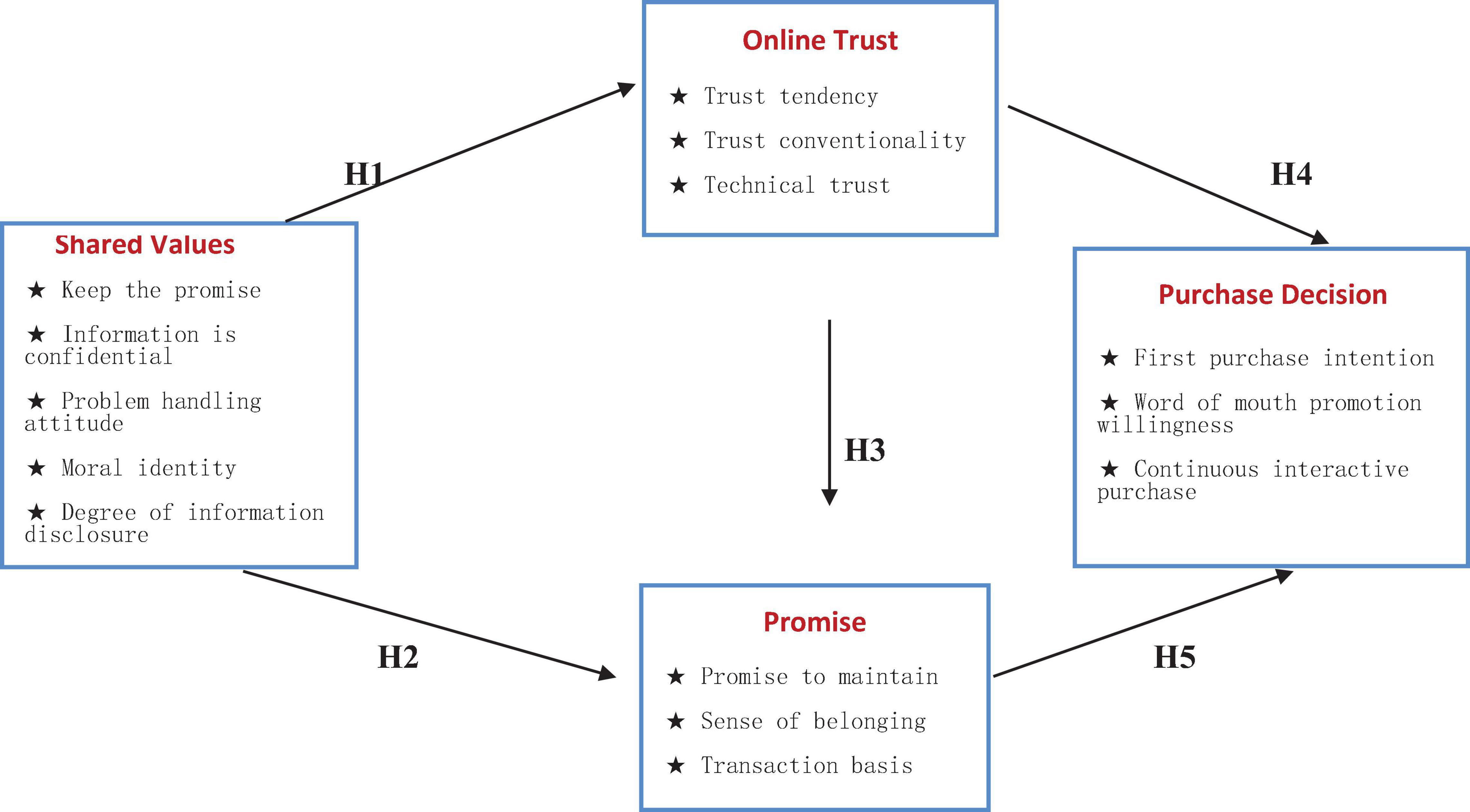
Here’s the reality: Sellvia gives you a ready-built store with solid product pages. But “solid” isn’t the same as “trustworthy to a complete stranger who has never heard of you.” A stranger landing on your store for the first time is making a very fast subconscious assessment: is this a real business or is this a scam?
The things that tank that assessment immediately:
No reviews or empty review sections. Product pages with zero reviews look abandoned. Even Sellvia’s built-in product content helps, but social proof from actual buyers matters more.
Generic or missing About page. Customers, especially for digital products, want to know who they’re buying from. An empty or completely generic About page is a red flag even if they can’t articulate why.
No visible contact information. If someone can’t figure out how to reach you when something goes wrong, they won’t risk buying in the first place.
Store looks identical to every other Sellvia store. If you’re running a completely default setup without any personalization, experienced online shoppers - especially ones who’ve seen Sellvia stores before - will clock it immediately. A little customization goes a long way.
- The Price-to-Trust Ratio Is Off
Digital products require a higher level of trust than physical ones. When you buy a physical item, you can see it, touch it, return it if it’s wrong. With a digital product - a guide, a course, a template - you’re buying based entirely on what someone tells you it’s worth.
That means the price you’re charging needs to be proportional to how much trust you’ve built with that visitor. A complete stranger who landed on your store from a Pinterest pin 45 seconds ago is not ready to spend $47 on a digital course. They might spend $9. They might spend $19. But $47 from a brand they’ve never heard of with no relationship established? That’s a big ask.
This doesn’t mean you need to lower all your prices. It means you need to think about your entry-point offer. What’s the lowest-risk thing someone can buy from you that proves the value before they commit to something bigger?
A $7 or $9 entry product with genuine value builds more trust than a perfectly written sales page for a $49 product. And a customer who bought once, even small, is exponentially more likely to buy again.
- The Product-Audience Match Is Wrong
Sellvia’s digital product catalog is broad. That breadth is useful when you’re exploring, but it creates a trap: it’s very easy to add products to your store that look good in isolation but make no sense for the audience you’re actually attracting.
If your Pinterest content is pulling in people interested in personal finance but your store is loaded with home decor guides, you have a mismatch. The traffic is real, the products are real, but they’re not talking to each other.
The fix is boring but effective: be specific. Pick a direction, make sure your traffic source content matches the products in your store, and cut anything that doesn’t belong. A store with 12 tightly focused products that all speak to the same person converts better than a store with 80 products covering six different topics.
- The Checkout Experience Creates Friction
Sometimes people genuinely want to buy and something in the process stops them. This is less common with Sellvia since a lot of the technical setup is handled for you, but it does happen.
Things worth checking:
Payment options. Does your store accept the payment methods people expect? Missing options create hesitation.
Mobile experience. Most traffic arrives on phones. If your store looks slightly off on mobile, or buttons are hard to tap, or pages load slowly, you’re losing people at the last moment.
Unexpected costs at checkout. If a product is listed at one price and the checkout shows a different total, people leave. Every time.
It’s worth going through your own checkout process start to finish on a phone, as if you were a first-time customer. You’ll find things that are obvious in hindsight that you completely stopped noticing.
The diagnostic process
When I look at a store with traffic but no sales, here’s the order I go through:
Step 1: Check time on page. If under 20 seconds average, the traffic is wrong. If over 60 seconds, the traffic is interested and the store isn’t closing.
Step 2: Check product page drop-off. Are people reaching product pages or bouncing from the homepage? If homepage bounce is high, the store isn’t communicating what it is fast enough.
Step 3: Do a trust audit. Reviews, About page, contact info, payment logos visible, store personalization. Check all of it from a fresh perspective, ideally have someone who doesn’t know your store look at it for 30 seconds and tell you their first impression.
Step 4: Check the product-audience match. Is what you’re selling actually what the people coming to your store are looking for?
Step 5: Walk through checkout on mobile. Find the friction yourself before your customers do.
Most of the time, the problem shows up somewhere in steps 2 or 3. The store exists but doesn’t feel like a real business yet. That’s fixable. It just requires looking at it through a stranger’s eyes instead of your own.
The Uncomfortable Truth
Getting traffic to a store feels like progress. And it is - but it’s only half the job.
The second half is making the store worthy of the traffic you’re sending it. That part is less exciting than running ads or posting content. It means sitting with the uncomfortable reality that something about your store is causing people to leave, and then systematically finding and fixing it.
Nobody talks about this part because it’s not glamorous. But it’s where the difference between “traffic with no sales” and “a store that actually converts” actually lives.